
Note
Go to the end to download the full example code.
ICON Cell-centered triangular plots
This example draws ICON cell-centered scalar fields on the native triangular
mesh with
easyclimate.plot.icon.plot_cell_triangular.
Unlike contour plots, the values are rendered cell by cell, preserving the native ICON triangular footprint in the selected domain.
import xarray as xr
import numpy as np
import cartopy.crs as ccrs
import matplotlib.pyplot as plt
import easyclimate as ecl

from easyclimate.plot.icon import plot_cell_triangular
Open a sample ICON pressure-level file and inspect the dataset. The temperature field is stored on ICON cell centers.
data = ecl.open_tutorial_dataset("icon_native_pl_20080909T000000Z")
data
icon_native_pl_20080909T000000Z.nc ━━━━━━━ 100.0% • 3.5/3.5 • 25.8     • 0:00:00
                                                    MB        MB/s
Draw cell-centered temperature directly on plain Matplotlib axes.
fig, ax = plt.subplots()

pc = plot_cell_triangular(
    data,
    data.temp.isel(time=0, plev=0),

    ax=ax,

    lon_min=110,
    lon_max=220,
    lat_min=25,
    lat_max=70,

    cmap="RdBu_r",
    cbar_kwargs={"location": "bottom", "aspect": 60},
)

ax.set_title("JW Wave 850hPa Temperature\n(plot_cell_triangular)")
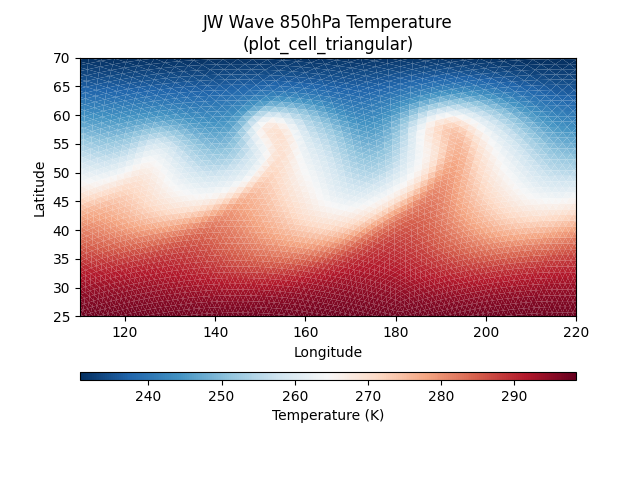
Text(0.5, 1.0, 'JW Wave 850hPa Temperature\n(plot_cell_triangular)')
Pass a Cartopy GeoAxes and a geographic transform when the native ICON cell fills should be combined with coastlines and gridlines.
fig, ax = plt.subplots(
    subplot_kw={"projection": ccrs.PlateCarree(-120)}
)

pc = plot_cell_triangular(
    data,
    data.temp.isel(time=0, plev=0),

    ax=ax,
    transform=ccrs.PlateCarree(),

    lon_min=110,
    lon_max=220,
    lat_min=25,
    lat_max=70,

    cmap="RdBu_r",
    cbar_kwargs={"location": "bottom", "aspect": 60},
)

ax.set_title("JW Wave 850hPa Temperature\n(plot_cell_triangular)")
ax.coastlines(resolution="110m", linewidth=0.6, color="b")
ax.gridlines(draw_labels=True, alpha=0)
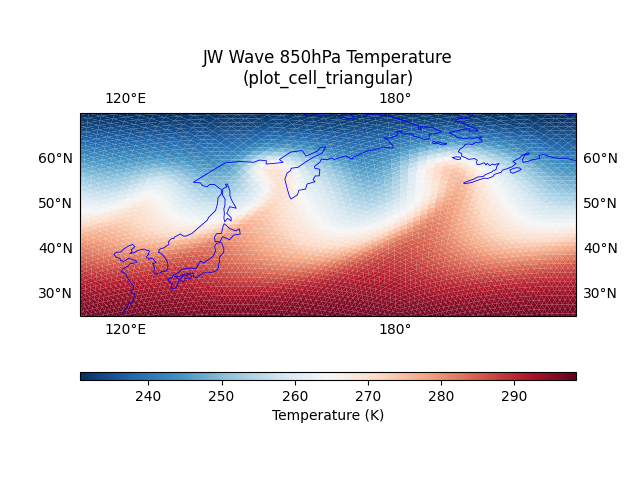
<cartopy.mpl.gridliner.Gridliner object at 0x74c41932cef0>
Zoom into a smaller regional window without slicing the ICON dataset first.
fig, ax = plt.subplots(
    subplot_kw={"projection": ccrs.PlateCarree(-120)}
)

pc = plot_cell_triangular(
    data,
    data.temp.isel(time=0, plev=0),

    ax=ax,
    transform=ccrs.PlateCarree(),

    lon_min=110,
    lon_max=150,
    lat_min=45,
    lat_max=65,

    cmap="RdBu_r",
    cbar_kwargs={"location": "bottom", "aspect": 60},
)

ax.set_title("JW Wave 850hPa Temperature\n(plot_cell_triangular)")
ax.coastlines(resolution="50m", linewidth=0.6, color="b")
ax.gridlines(draw_labels=True, alpha=0)
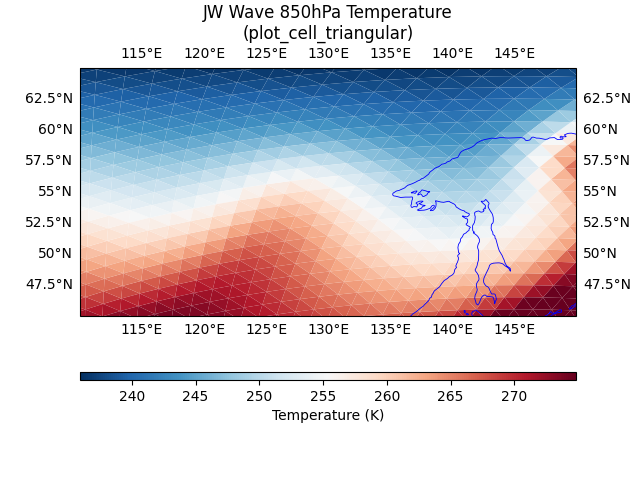
<cartopy.mpl.gridliner.Gridliner object at 0x74c41a929250>
Total running time of the script: (0 minutes 8.002 seconds)