
Note
Go to the end to download the full example code.
ICON Cell-centered wind barb plots
This example draws ICON cell-centered wind vectors as meteorological barbs with
easyclimate.plot.icon.plot_cell_barbs.
As with the quiver helper, ICON cell vectors are thinned into regular longitude-latitude bins before plotting.
import xarray as xr
import numpy as np
import cartopy.crs as ccrs
import matplotlib.pyplot as plt
import easyclimate as ecl

from easyclimate.plot.icon import plot_cell_barbs
Open a sample ICON model-level file and select the horizontal wind components stored on cell centers.
icon_native_ml_20080909T000000Z.nc ━━━━━━━ 100.0% • 1.8/1.8 • 19.6     • 0:00:00
                                                    MB        MB/s
Draw wind barbs over a regional window on plain Matplotlib axes.
fig, ax = plt.subplots()
q = plot_cell_barbs(
    data, u, v,
    ax=ax,

    lon_min=140,
    lon_max=220,
    lat_min=25,
    lat_max=70,

    nx_bins=20,
    ny_bins=15,
    thin_method="nearest_center",
)

ax.set_title("JW Wave Wind Field\n(height = 19, plot_cell_barbs)")
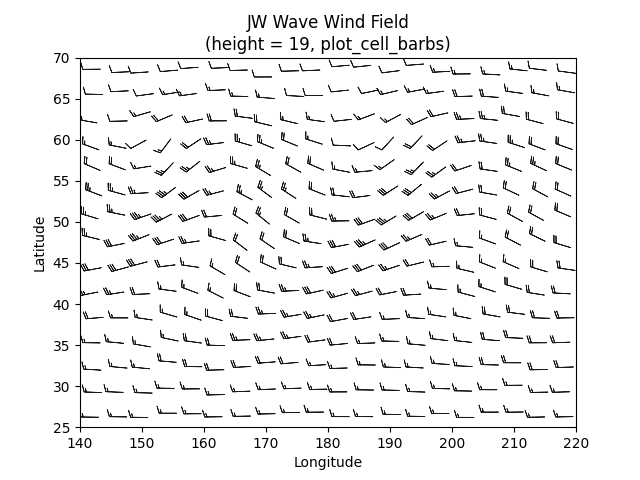
Text(0.5, 1.0, 'JW Wave Wind Field\n(height = 19, plot_cell_barbs)')
The same barb field can be drawn on a Cartopy projection by passing a GeoAxes and the geographic input transform. sphinx_gallery_thumbnail_number = -1
fig, ax = plt.subplots(
    subplot_kw={"projection": ccrs.PlateCarree(180)}
)
q = plot_cell_barbs(
    data, u, v,
    ax=ax,

    lon_min=140,
    lon_max=220,
    lat_min=25,
    lat_max=70,

    nx_bins=20,
    ny_bins=15,
    thin_method="nearest_center",
    transform=ccrs.PlateCarree(),
)

ax.set_title("JW Wave Wind Field\n(height = 19, plot_cell_barbs)")
ax.coastlines(resolution="110m", linewidth=0.6, color="b")
ax.gridlines(draw_labels=True, alpha=0)
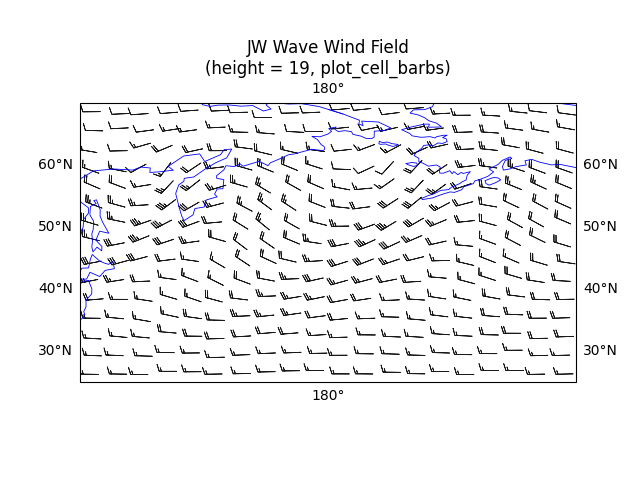
<cartopy.mpl.gridliner.Gridliner object at 0x74c41a3c0230>
Total running time of the script: (0 minutes 2.805 seconds)